View Categories

Wonder Wall Footer Settings

< 1 min read

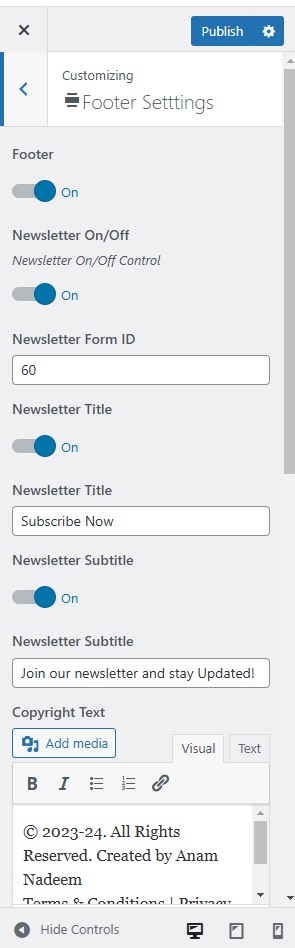
To customize the footer of your theme, follow these steps:

  • Go to your WordPress dashboard.
    • Click on Appearance > Customize.
  • In the Customizer, locate and click on the Footer Settings section.
  • Once satisfied with your adjustments, click the Publish button at the top of the Customizer to save your changes.

Leave a Reply